Driving Licence
The process involves fetching the official document from the Ministry of Road Transport and Highways (MoRTH) database, which is then saved in your DigiLocker account.
Open and Log In:
- Open the DigiLocker mobile app or go to the official website.
- Sign in with your credentials. If you are a new user, you will need to sign up first (Aadhaar is generally required for registration).
Search for the Document:
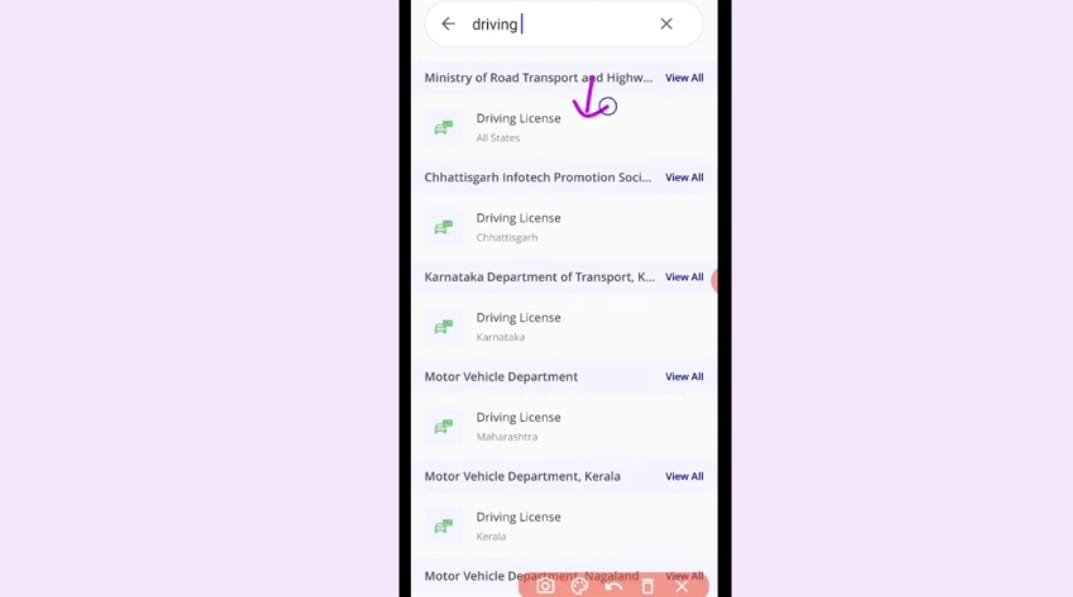
- Go to the "Search Documents" section.
- Search for "Driving Licence" and select the document from the list.
Choose the Issuer:
- You will be asked to select the state/UT Transport Department that issued your licence. In many cases, you might also see an option for 'Ministry of Road Transport and Highways, All States'. Select the relevant one.
Enter Your Details:
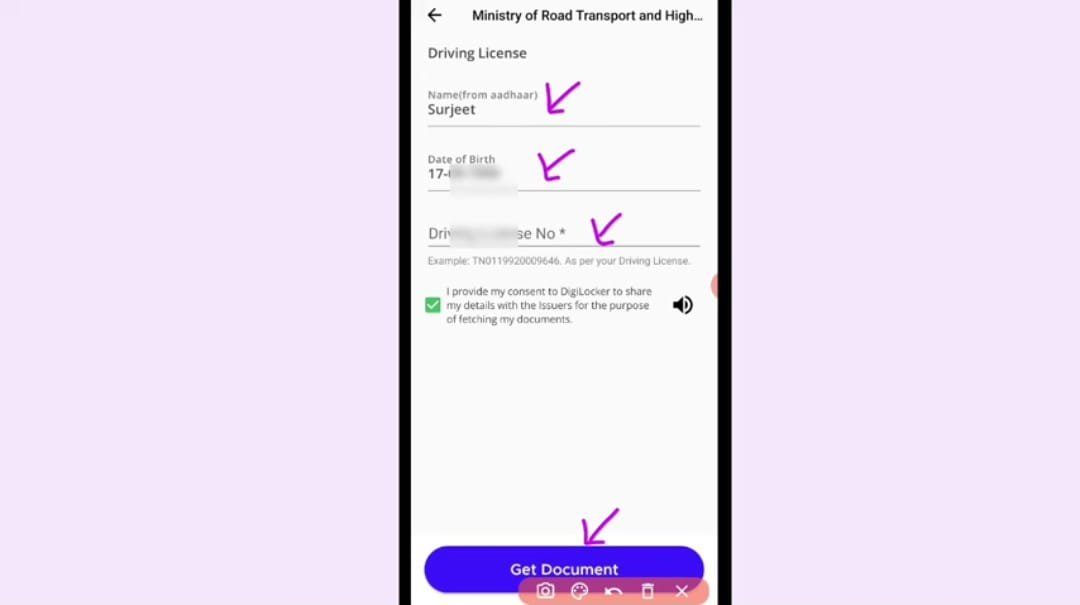
- The page will display some pre-filled details (like your Name and Date of Birth) pulled from your Aadhaar/DigiLocker profile.
- Carefully enter your Driving Licence Number.
Fetch and Save:
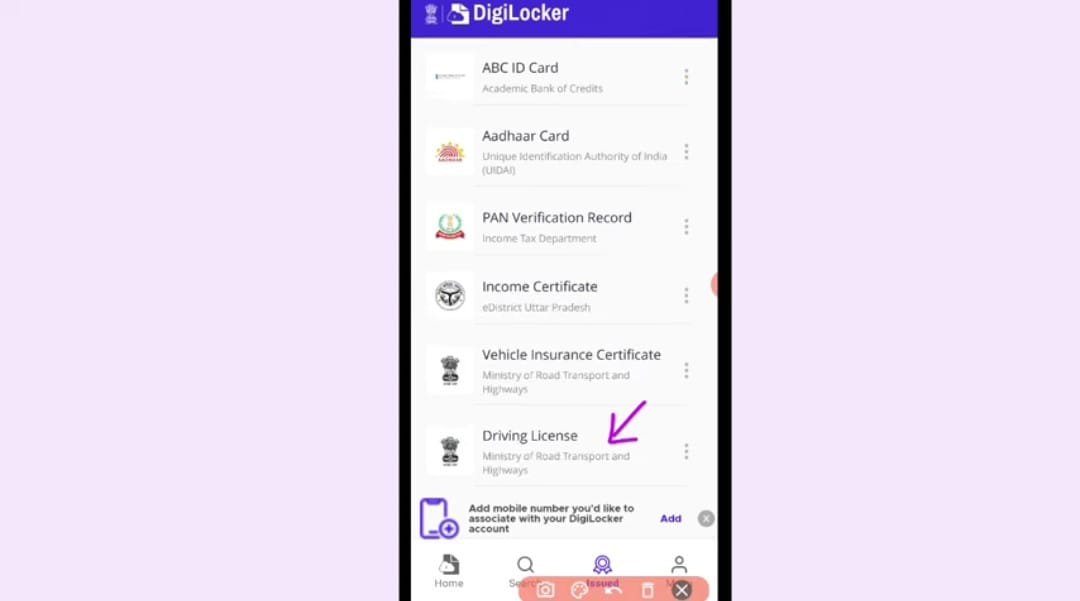
- Click on "Get Document" or "Get Details".
- DigiLocker will connect with the official database (like Parivahan) and fetch the digital copy of your DL.
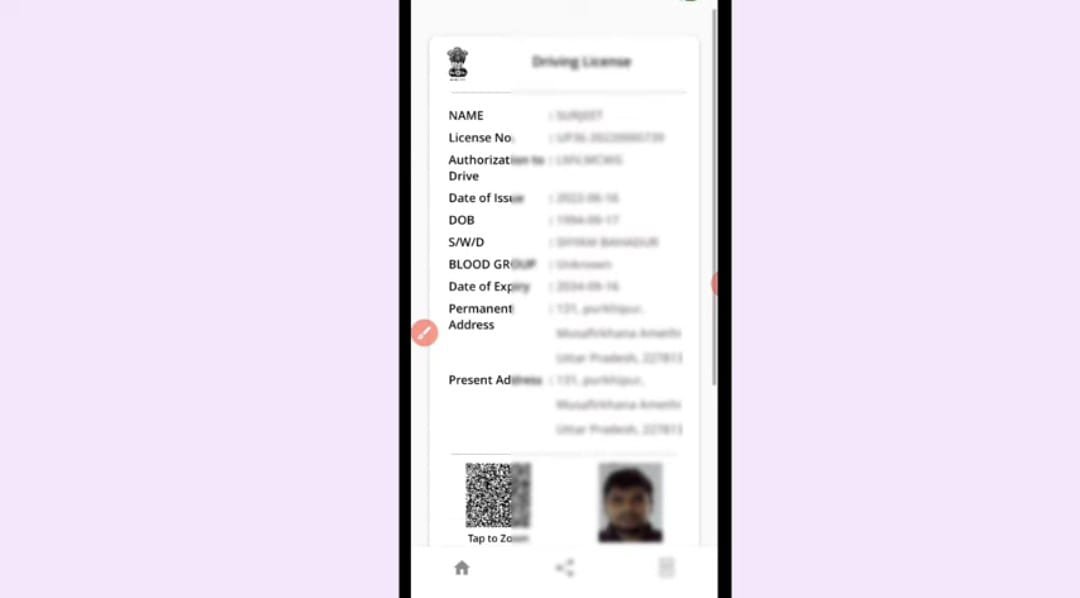
- Once fetched, the document will automatically be saved in your "Issued Documents" section.
Important Things to Know
- Legal Validity: The electronic copy of your Driving Licence retrieved through DigiLocker is legally valid and is accepted by traffic police and transport authorities across India, as per the Information Technology Act, 2000, and a circular from MoRTH.
- Original Source: DigiLocker fetches the document directly from the official government source (National Register/Parivahan), which is why it is considered a valid copy, equivalent to the physical original.
- Troubleshooting: If you cannot find your DL, it might be due to a mismatch in the details you entered (especially your name or date of birth) with what is recorded in the National Register. In such a case, you may need to contact your local RTO or the respective government department.