APAAR ID
The Government of India has launched the APAAR ID —a unique 12-digit number that acts like a lifelong "digital locker" for students. Part of the "One Nation, One Student ID" plan, this ID follows you from your first day of school through graduation, safely storing all your report cards, exam marks, and certificates for sports or hobbies in one easy-to-reach place. It works perfectly with your ABC ID , making it simple to prove your achievements whenever you change schools or apply for college.
APAAR ID Login & Registration
If your APAAR IDhas already been successfully generated, you can easily access and download it from DigiLocker. Here are the simple steps to download your APAAR ID from DigiLocker:
- Access DigiLocker:
- Open the DigiLocker mobile app or go to the official website: digilocker.
- Sign In:
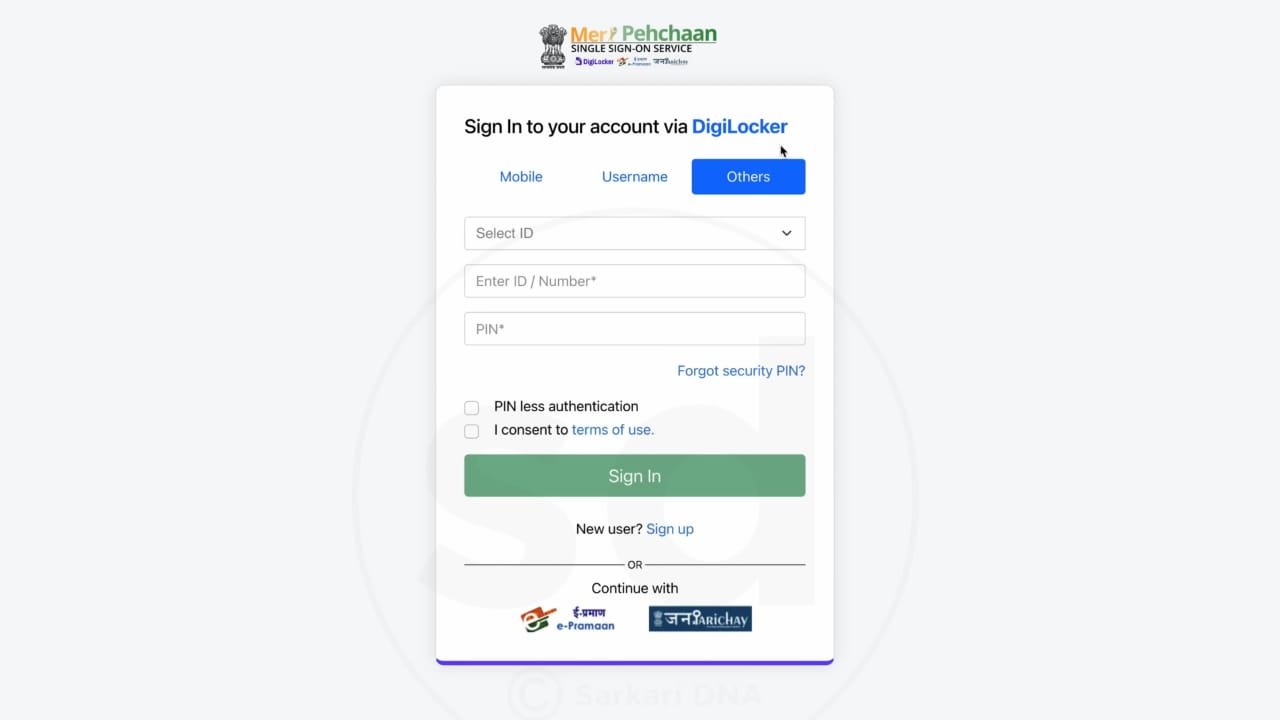
- Click on "Sign In."
- Log in using your Aadhaar-linked mobile number/Aadhaar number/Username and your 6-digit Security PIN.
- Verify the login with the OTP sent to your registered mobile number.
- Go to Issued Documents:
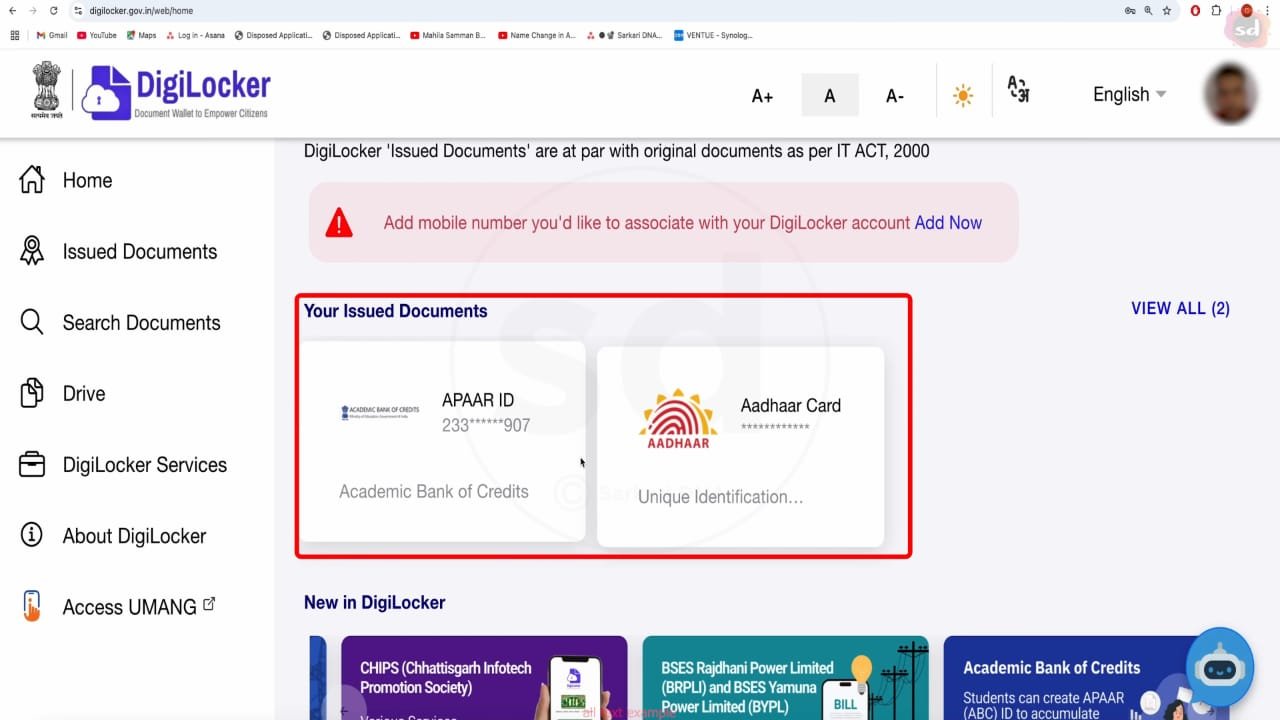
- Once you are on your dashboard, navigate to the "Issued Documents" section. This is where all verified digital documents are stored.
- Find Your APAAR ID:
- Look for the document listed as "APAAR/ABC ID Card" or something similar under the Academic Bank of Credits (ABC) issuer.
- View and Download:
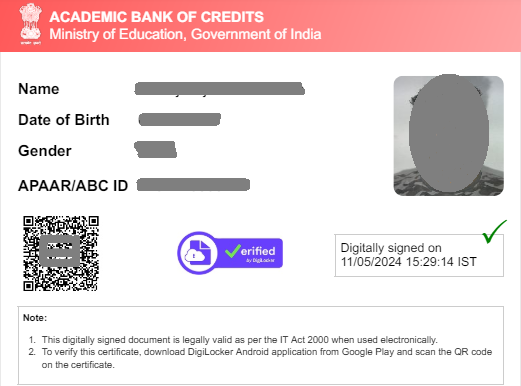
- Click on the document title to open your APAAR ID card.
- You should see an option to Download it, usually as a PDF file. Click the download icon or button to save the ID to your device.
If you don't see the document under "Issued Documents," it means your APAAR ID may not have been generated yet, or you might need to fetch it first.
- To Fetch Your ID (If it's not yet Issued):
- Go to the "Search Documents" tab.
- Type "APAAR ID" or "Academic Bank of Credits" in the search bar.
- Select the relevant result (e.g., APAAR/ABC ID Card).
- Enter the required details (like your institution, admission year, identity type/value, etc.) and click "Get Document".
- Once fetched, it will move to your "Issued Documents" section, and you can download it from there!
FAQ's
1. What is the main purpose and benefit of the APAAR ID?
- Simply put: The APAAR ID is a "One Nation, One Student ID." It is a unique, 12-digit digital identifier for every student, from school to higher education.
- The benefit: It serves as a lifelong digital locker for your academic journey. It is linked to the Academic Bank of Credits (ABC) where you can securely store, accumulate, transfer, and access all your academic credits (from degrees, diplomas, online courses, etc.) and records throughout your educational career. This makes processes like credit transfer between institutions and applying for scholarships much easier and paperless.
2. Is the APAAR ID mandatory for all students?
- Current Status: The creation of the APAAR ID is voluntary, meaning it is not strictly compulsory for all students right now.
- However: It is strongly encouraged by the Ministry of Education and the UGC. Many institutions are making it a requirement for admission or for utilizing the credit transfer and multiple entry/exit features outlined in the National Education Policy (NEP) 2020. Having one ensures you can seamlessly access all benefits of the ABC system.
3. What kind of academic records or credits are stored in the ABC system?
- What is stored: The Academic Bank of Credits (ABC) primarily stores academic credits awarded by registered Higher Educational Institutions (HEIs). This can include credits from:
- Regular degree programs.
- Credits earned through approved online courses (MOOCs).
- Credits from recognized skill development programs.
- Important Note: The credits are deposited into your account only by the educational institutions, not directly by the student.
4. What information is required to create an APAAR ID?
- Key Requirement: The process is based on the Aadhaar number and relies on the DigiLocker platform for verification and account creation.
- Mandatory Details: You typically need:
- Your Aadhaar Number (linked to a mobile number for OTP).
- Student Name (matching Aadhaar).
- Date of Birth (DOB) and Gender.
- For students below 18, parental consent is required for the school or institution to initiate the process.